Golvar TV
Golvar TV APK is what Android users search for when they want a football-focused app and sports information around match schedules, weekly fixtures, football news, player biographies, team details, and sports channel context. The app itself is listed as Golvar TV Futbol, while Golvar TV is the keyword that brings the app and the wider sports website together.
4.6 out of 5 18.9K reviews
Table of Contents
- App Name
- Golvar TV
- Developer
- Football Apps Inc.
- Package Name
- com.footballapps.golvar
- Category
- Entertainment
- File Size
- 825.3 KB
- Version
- 9.8
- Required Android
- Android 2.1+
- File Type
- XAPK
- Platform
- Android
- Total Downloads
- 589206
- Total Reviews
- 18950
- Ratings
- 4.6/5
- Age Ratings
- 16+
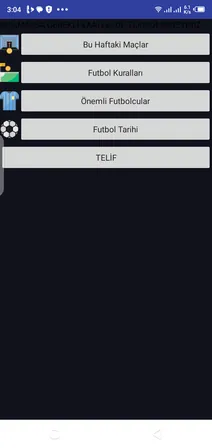
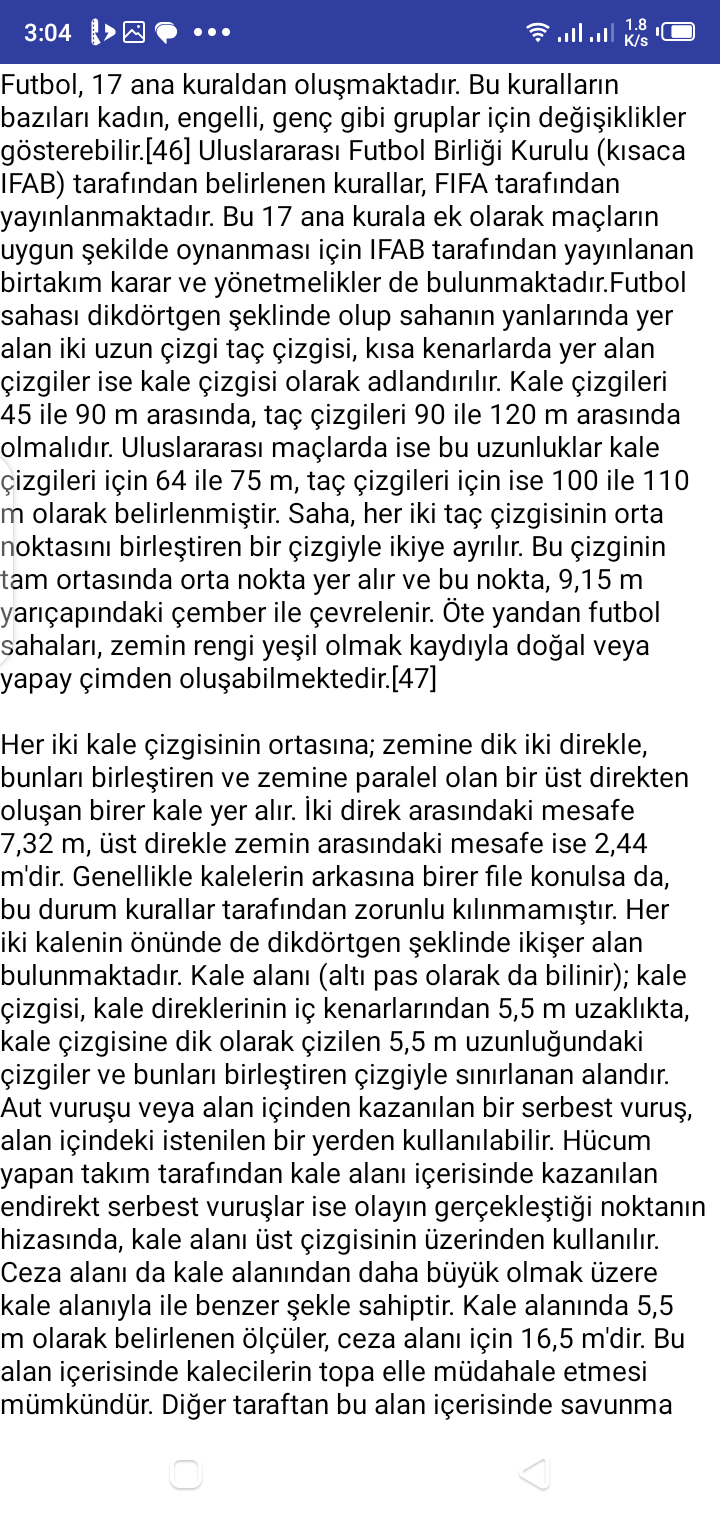
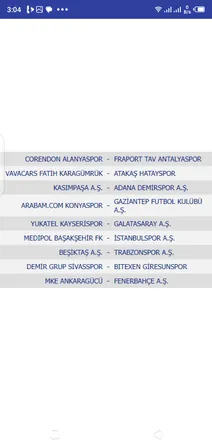
Softonic lists Golvar TV Futbol as a free Android app by Football Apps Inc., with version 4, Android 9.0 requirement, size 8.91 MB, and an app description focused on football schedules, player biographies, weekly team match information, and football news. The same listing clearly says the app is for football information purposes and does not include live match streaming.
The Golvar reference website shows a sports-channel style layout with channel names/logos such as beIN Sports, S Sport, Spor Smart, Tivibu Spor, TRT Spor, A Spor, Eurosport, NBA TV, TV8, CBC Sport, İDMAN TV, and others, plus a Maç Listesi match list section. The same site also shows menu items such as Spor Bahisleri, Canlı Bahis, Casino, Canlı Casino, and Masa Oyunları.
What Is Golvar TV?
Golvar TV is a football and sports-focused topic spanning an Android app and a sports website, searched by people who want football schedules, match lists, sports channel information, team details, player biographies, and weekly fixture news in one place.
In simple words, Golvar TV can be understood through two connected angles:
- Golvar TV Futbol Android app - football information, match schedules, player biographies, team information, and weekly match details.
- Golvar TV website-style sports portal - sports channel listing, match list display, and menu sections related to sports betting, live betting, casino, live casino, and table games.
This makes Golvar TV a broader EMD topic than a normal football schedule app. It is not only about one Android installation file; users also search the keyword because of sports channels, Turkish football context, match schedules, and the website’s sports/casino navigation structure.
How Golvar TV Works on Android
Golvar TV Futbol works as a lightweight Android sports information app: install it, open it, and check the football details you need, from today's schedule to the week's fixtures, in a few taps.
A normal app usage flow may look like this:
- Download Golvar TV APK or XAPK from a trusted source.
- Install it on an Android device.
- Open the app.
- Check football match schedules.
- Review weekly fixture information.
- Explore which teams are playing.
- Read football-related information.
- Check player biographies where available.
- Use the app as a football information companion.
- Avoid unsafe modified or fake versions.
The Android app should be described mainly as a football information app because the available app listing says it is for football information and does not include live match streaming.
Main Features of Golvar TV
Golvar TV can be covered through several features and topic areas.
Main features and sections include:
- Football match schedules
- Weekly fixtures
- Team match information
- Player biographies
- Football news and updates
- Sports channel names and listings
- Maç Listesi match list
- Sports TV schedule context
- APK and XAPK installation
- Lightweight Android size
- Android 9.0+ support
- Internet and network permissions
- Storage permissions
- Sports betting menu context
- Live betting menu context
- Casino menu context
- Live casino menu context
- Table games menu context
- Advertising and cooperation menu context
- Safe download checks
- Common app problems and fixes
Football Match Schedule Feature
The match schedule is the heart of Golvar TV. Fans want three answers fast: which teams are playing, when the match starts, and which channel name appears beside the fixture, and the schedule is organised to give exactly those answers at a glance.
Match schedule information may help users:
- Check upcoming matches
- Follow today’s football fixtures
- See tomorrow’s matches
- Review weekly fixtures
- Track club match timing
- Plan viewing time
- Follow international friendlies
- Check sports channel names beside matches
- Stay updated with football calendar
A match schedule app is useful because football fans often follow many leagues, clubs, and friendly matches.
Maç Listesi Section
The reference website's Maç Listesi section, the match list, is its clearest schedule area: fixture names, timings, and channel labels laid out for quick scanning by fans planning their viewing.
A Maç Listesi section can include:
- Today’s matches
- Tomorrow’s matches
- Club names
- Match time
- Sports channel label
- Friendly matches
- Weekly fixtures
- Match status context
For Turkish football users, “Maç Listesi” is a natural keyword because it directly describes football schedule content.
Weekly Fixtures and Team Information
Golvar TV Futbol helps users see which teams play each other during the week without hunting across the internet fixture by fixture. For fans following several competitions at once, that weekly view is the feature that saves the most time.
Weekly fixtures may help with:
- Following club schedules
- Checking weekly football calendar
- Planning match day
- Tracking team opponents
- Seeing which week of the season it is
- Checking upcoming games
- Reviewing competition schedule
- Following football updates
Team information makes the app more useful than a simple static list.
Player Biographies
Player biography information is part of the Golvar TV Futbol listing, and it is the feature that turns a fixture into a story: knowing a player's club history, position, and background makes the matches they appear in mean more.
Player biographies may include:
- Player name
- Club context
- Career background
- Position information
- Football history
- Basic player profile
- Team association
- Fan interest details
Player biography content is useful for users who follow clubs, favorite players, or football history.
Football News and Updates
Golvar TV Futbol is described as helping users stay current with football news and information, and news matters because schedules, lineups, transfers, injuries, and competitions all move during a season.
Football update sections may cover:
- Match news
- Team updates
- Player information
- Schedule changes
- Weekly football news
- Competition details
- Sports channel context
- Fixture reminders
Users who follow football daily can benefit from this kind of information.
Sports Channel Listing
The Golvar reference website shows many sports channel names and logos. This includes channels such as beIN Sports, S Sport, Spor Smart, Tivibu Spor, TRT Spor, A Spor, Eurosport, NBA TV, TV8, CBC Sport, İDMAN TV, and others.
Sports channel listing can help users:
- Recognize channel names
- Understand match schedule labels
- See sports broadcast context
- Compare channel categories
- Follow match list entries
- Identify football coverage labels
- Navigate sports-related site sections
This is one of the reasons people search Golvar TV as a sports-channel style keyword.
beIN Sports Context
The website displays several beIN Sports channel labels, including beIN Sports 1, beIN Sports Haber, beIN Sports 2, beIN Sports 3, beIN Sports 4, beIN Sports 5, beIN Sports Max 1, and beIN Sports Max 2.
In Golvar TV content, these should be described as channel labels or channel listing context. Users may see these names in the sports channel grid or match schedule area.
beIN Sports context may matter for:
- Football coverage
- Match list labels
- Sports broadcast recognition
- Turkish sports viewing context
- Channel comparison
- Fixture information
TRT Spor and TV8 Context
The reference website also shows TRT Spor, TRT Spor Yıldız, TV8, and TV8,5. These names may appear beside match listings or in channel grids.
These channel labels are useful for users who follow:
- Turkish sports broadcasts
- Football fixtures
- Friendly matches
- Sports news
- Free-to-air sports context
- Match schedule listings
Golvar TV searches often connect with Turkish football and sports channel information.
Eurosport and NBA TV Context
The reference website also lists Eurosport 1, Eurosport 2, and NBA TV. This suggests the site layout is not limited only to football; it also displays broader sports channel names.
This wider sports context may include:
- Football
- Basketball
- Tennis
- General sports
- International sports channels
- Sports news
- Multi-sport channel listing
Golvar TV can therefore be covered as a sports information and channel guide topic, not only a football app topic.
Sports Betting Menu Context
The website menu includes Spor Bahisleri, which means sports betting. This is part of the site navigation context and should be covered as a visible menu category.
Sports betting menu context may include:
- Sports betting category label
- Match-related betting interest
- Football betting navigation
- Sports market context
- User awareness
- Responsible-use note
- Age restriction awareness
- Local law awareness
This article does not provide betting predictions, odds strategies, or gambling instructions. It only explains that sports betting appears as a site menu category and users should follow age limits, local rules, and responsible behavior.
Canlı Bahis Menu Context
The website also shows Canlı Bahis, which means live betting. This is another menu category visible on the Golvar reference website.
Live betting context may involve:
- In-play sports betting category
- Live match betting menu
- Real-time sports interest
- Match-based gambling navigation
- Responsible gambling awareness
- Local legal compliance
- Age restriction awareness
Users should understand that live betting can carry financial risk and may be regulated or restricted depending on location.
Casino Menu Context
The website menu includes Casino. This means the Golvar reference site is not only showing sports channels and match list content; it also displays gambling-related navigation.
Casino menu context may include:
- Casino category label
- Gambling section navigation
- Game-related menu structure
- User awareness
- Responsible gambling context
- Age-restricted activity
- Local law concerns
- Financial risk awareness
Casino sections should be discussed as site categories, not promoted as guaranteed earning opportunities.
Canlı Casino Menu Context
The website menu also includes Canlı Casino, which means live casino. This suggests a live dealer or real-time casino category in the site navigation.
Live casino context may involve:
- Live casino category label
- Real-time casino environment
- Gambling-related navigation
- Age restriction
- Responsible use
- Local regulation
- Financial risk
- User caution
This is part of the wider Golvar website topic and can be covered in informational content.
Masa Oyunları Menu Context
The website menu includes Masa Oyunları, meaning table games. Table games are normally connected with casino-style games.
Table games context may include:
- Casino table game category
- Card/table game navigation
- Gambling section structure
- User awareness
- Age limits
- Financial risk
- Local legal restrictions
- Responsible gambling note
Advertising and Cooperation Section
The reference website also shows REKLAM&İŞBİRLİĞİ, meaning advertising and cooperation. This suggests the site may have a contact or business section for ads, promotion, or partnerships.
This section may matter for:
- Site monetization
- Advertising inquiries
- Business cooperation
- Sponsorship context
- Banner placement
- Partner contact
- Sports audience targeting
Users should treat advertising links and promotions carefully, especially on sports and gambling-related websites.
What Golvar TV Can Do
Golvar TV can help users with football and sports information.
It can help with:
- Checking football match schedules
- Reviewing weekly fixtures
- Seeing team match information
- Reading player biographies
- Following football-related updates
- Recognizing sports channel names
- Checking match list entries
- Understanding sports portal sections
- Installing a lightweight Android sports app
- Using app permissions for network and storage functions
For football fans, these features can be useful for everyday match planning.
What Golvar TV Cannot Guarantee
Golvar TV cannot guarantee every expectation users may have from the keyword.
It cannot guarantee:
- Every match will be listed
- Every fixture will be updated instantly
- Every channel label is current
- Every APK file online is safe
- Every third-party download is official
- Every website section is available in every region
- Every app version has the same features
- Live match streaming inside the official app listing
- Safe gambling outcomes
- Winning betting results
- Legal availability in every country
Users should keep expectations realistic.
Live Match Streaming Clarification
This point deserves its own section because so many users arrive expecting live streams: the Softonic listing describes the app as football information only and states clearly that it does not include live match streaming. This site repeats that clarification rather than hiding it.
This means Golvar TV Futbol should not be described as guaranteed live match streaming app based on the verified app listing. It is safer and more accurate to describe it as a football information, schedule, player biography, and match update app.
The website may show sports channel names and match list content, but website channel labels do not automatically mean the Android app provides live streaming.
Sports Channel Names vs Live Streaming
A channel name can appear in a schedule, a grid, or a match listing without any live stream existing inside an app. Listings carry broadcast information; broadcasts themselves belong to the channels and their official services.
A channel label may mean:
- A match is associated with that channel
- A schedule entry references a channel
- The site displays a channel grid
- Users can recognize sports broadcast context
- The portal organizes sports information
A channel label does not always mean an app owns streaming rights or legally provides that channel.
APK vs XAPK
Golvar TV appears as APK or XAPK across download pages, and Android users benefit from understanding the difference before they install anything: the formats package an app differently and can need different installers.
| File Type | Meaning |
|---|---|
| APK | Standard Android installation package |
| XAPK | Android package plus extra files or bundled resources |
| APK Install | Can usually be installed directly |
| XAPK Install | May require a compatible installer |
| Risk | Third-party files should be verified carefully |
Users should avoid random files with unclear package names or fake version claims.
Permissions Explained
The Softonic listing shows permissions such as internet, network state, Wi-Fi state, read/write external storage, wake lock, and Bluetooth.
These permissions may be used for:
- Loading football information
- Checking network connection
- Accessing online content
- Reading or saving app-related files
- Keeping screen or process awake
- Supporting device connectivity features
- App functionality
- Performance behavior
Users should review permissions before installation.
Internet Permission
Internet permission is expected for a football information app because match schedules, news, channel context, and app updates may need online access.
Internet permission may help with:
- Loading schedules
- Refreshing match information
- Accessing football news
- Updating player biographies
- Displaying app content
- Fetching online data
Without internet, the app may not work properly.
Network and Wi-Fi State Permissions
Network and Wi-Fi state permissions help the app understand whether the device is connected and what type of connection is available.
These permissions may help with:
- Checking connectivity
- Avoiding loading errors
- Handling offline states
- Refreshing content
- Improving app behavior
- Managing data loading
These are common in online Android apps.
Storage Permissions
Read and write external storage permissions may relate to saving files, caching content, or handling app data depending on app design.
Storage permissions may affect:
- Cached content
- Saved files
- App data
- Downloaded resources
- Temporary files
- Offline elements where supported
- Android file handling
Users should review storage permissions carefully, especially when installing from third-party sources.
Wake Lock Permission
Wake lock permission can help keep the device or app process active during certain tasks. For an information app, it may support background behavior or prevent interruptions during loading.
Wake lock may relate to:
- Keeping app active
- Preventing sleep during loading
- Background refresh behavior
- Long-running tasks
- Stable content display
Users should monitor battery usage if an app uses wake lock.
Bluetooth Permission
Bluetooth permission appears in the Softonic permission list. Users should review why an app might request Bluetooth and whether it is necessary for their use case.
Bluetooth permission may be related to:
- Device connectivity
- System-level app behavior
- App framework requirements
- Compatibility functions
- External display or device support
If a permission feels unnecessary, users should be cautious.
Download Safety
Download safety matters doubly around sports keywords, because unofficial sites use them to push modified APKs, fake streaming apps, and unsafe files. The habits in this section, trusted sources, verified details, and refused extras, are the whole defence.
Before downloading, check:
- App name
- Developer name
- Version
- File size
- Android requirement
- Package name
- File type
- Source reputation
- Permission list
- Safety scan notes
- No suspicious forced redirects
- No fake installer behavior
A safe download process reduces privacy and device risk.
Safe Download Wording
Click the download button to get a secure and verified Android Package Kit file for installing Golvar TV on your Android device. The file is provided for users who want to manually install a football information app, check match schedules, follow weekly fixtures, explore player biographies, review team details, understand sports channel listings, and stay updated with football-related information while avoiding unsafe, modified, cracked, patched, or fake versions.
This wording covers the app without making false live-streaming claims.
How to Download Golvar TV for Android Safely
To download Golvar TV safely:
- Use a trusted source.
- Check app name: Golvar TV Futbol.
- Check developer: Football Apps Inc.
- Check version information.
- Check Android requirement.
- Review file type: APK or XAPK.
- Check permissions.
- Avoid suspicious redirects.
- Avoid fake download buttons.
- Install only if the file details make sense.
Manual Android installation should always be handled carefully.
How to Install Golvar TV on Android
Basic installation steps:
- Download the Golvar TV APK or XAPK from a trusted source.
- Open the downloaded file.
- Check app name and install screen.
- Allow unknown app installation temporarily if required.
- Tap Install.
- Wait for installation to complete.
- Open the app.
- Review permissions.
- Check match schedule and football information.
- Turn off unknown app installation permission after setup.
For XAPK files, users may need a compatible installer.
Android Compatibility
Golvar TV Futbol is listed for Android 9.0. This means users should have Android 9.0 or newer for better compatibility.
Compatibility may depend on:
- Android version
- Device storage
- Internet connection
- File type
- App version
- Installation method
- Permissions
- Device security settings
- Regional availability
- Source reliability
Older devices may face install errors or app crashes.
File Size and Lightweight Use
The app is listed with a small file size of 8.91 MB. A lightweight file can be useful for users who want a simple football information app without heavy storage use.
A small sports app may benefit users with:
- Limited storage
- Older Android phones
- Basic football schedule needs
- Quick installation
- Simple app interface
- Low storage footprint
Still, users should keep enough free space for cache and updates.
Website Address and Updated Entry Context
The Golvar reference website shows an updated address or entry link at the top. This kind of layout is common on sites that may change domains or use an entry gateway.
Users should understand:
- Website addresses may change
- Entry links may redirect
- External links should be checked carefully
- Fake clone sites may exist
- Channel pages may change
- Match lists may update daily
- Ads may appear
- Users should avoid suspicious prompts
Sports portal users should pay attention to source authenticity.
Gambling and Casino Safety Context
Because the Golvar reference site includes sports betting, live betting, casino, live casino, and table game menu items, users should understand the risk side too.
Gambling-related sections may involve:
- Age-restricted activity
- Financial risk
- Local legal restrictions
- Account registration
- Payment methods
- Promotions
- Responsible use rules
- Risk of loss
Users should never treat betting or casino sections as guaranteed income.
Responsible Gambling Note
If users interact with betting or casino categories, they should follow responsible behavior.
Responsible gambling means:
- Follow local laws
- Meet legal age requirements
- Set personal limits
- Never gamble with money needed for essentials
- Avoid chasing losses
- Avoid betting under stress
- Understand risk of losing money
- Stop if gambling becomes harmful
This article covers the menu context only and does not provide betting strategy.
Common Problems and Fixes
App Not Installing
Possible causes:
- Corrupted file
- Wrong Android version
- XAPK installer needed
- Unknown app installation blocked
- Low storage
- Wrong file package
- Modified file
Fixes:
- Download again from trusted source
- Free storage
- Check Android version
- Use correct installer for XAPK
- Restart phone
- Avoid fake files
App Not Opening
Try:
- Restart app
- Restart phone
- Clear cache if available
- Reinstall trusted version
- Check Android compatibility
- Check storage
- Avoid modified builds
Match List Not Loading
Try:
- Check internet
- Refresh app
- Restart phone
- Try again later
- Check if service is down
- Update app
- Avoid unofficial modified versions
Website Not Opening
Try:
- Check internet
- Confirm correct address
- Avoid suspicious clones
- Disable unstable VPN if needed
- Try later
- Avoid clicking fake ads
- Use trusted browser
Channel List Not Showing
Possible reasons:
- Website updated
- Network issue
- Page loading problem
- Ad/script blocking issue
- Regional restriction
- Temporary site error
Refresh and check again later.
Pros and Cons
Pros
- Football-focused app/topic
- Match schedule information
- Weekly fixture context
- Player biographies
- Football news and updates
- Sports channel listing context
- Maç Listesi match list
- Lightweight file size
- Free license listing
- Android 9.0 support
- APK/XAPK availability
- Covers sports portal style content
- Website includes multiple sports channel names
- Also includes broader betting/casino navigation context
Cons
- App listing says no live match streaming
- Third-party files may be risky
- Website may include gambling/casino categories
- Some users may expect live streams and get confused
- Sports channel labels do not prove legal streaming access
- Betting/casino sections carry financial risk
- Permissions should be reviewed
- XAPK may require extra installer
- Website address may change
- Ads and redirects may appear on sports portals
- Some third-party versions may be fake or modified
Frequently Asked Questions
What is Golvar TV?
What is Golvar TV Futbol?
Does Golvar TV provide live match streaming?
Why does the website show sports channels?
What is Maç Listesi?
Does Golvar TV show beIN Sports names?
Does Golvar TV include betting sections?
Does Golvar TV include casino sections?
Should betting/casino sections be used carefully?
What is the Golvar TV app version?
What Android version is required?
What is the file size?
Is Golvar TV APK free?
Is Golvar TV APK safe?
What permissions does Golvar TV use?
What is APK vs XAPK?
Should I install modified Golvar TV files?
Safe Usage Tips
Responsible use of Golvar TV starts with using it as what it is: a football information tool. Keep the source trusted, the permissions reviewed, and the expectations accurate, and the app stays what it should be, a small daily convenience.
- Check app identity before installation
- Use trusted sources
- Review permissions
- Understand APK/XAPK differences
- Check Android compatibility
- Use match schedule information realistically
- Understand that channel labels are not the same as guaranteed streaming rights
- Be careful with website ads and redirects
- Treat betting/casino categories as age-restricted and risky
- Follow local laws
- Avoid fake or modified versions
- Do not trust guaranteed winning claims
- Avoid suspicious installers
- Keep device security enabled
Conclusion
Golvar TV is a broad football and sports topic connecting the Golvar TV Futbol Android app with a sports-channel style website. The app side centres on football information: match schedules, weekly fixtures, player biographies, and football updates. The website side adds sports channel names, a Maç Listesi match list, and menu categories that include sports betting, live betting, casino, live casino, and table games.
The most accurate way to cover Golvar TV is to include all of these areas clearly: football schedule app, sports information, channel listing context, match list, APK/XAPK setup, permissions, Android compatibility, website sections, and betting/casino menu context. Users should understand that the app listing says it does not include live match streaming, and that betting/casino sections carry legal, age, and financial risk.
For safe use, download only from trusted sources, review file details, check permissions, understand the difference between app and website features, be cautious with external links, and avoid fake, modified, cracked, patched, or suspicious versions.